 Masjidi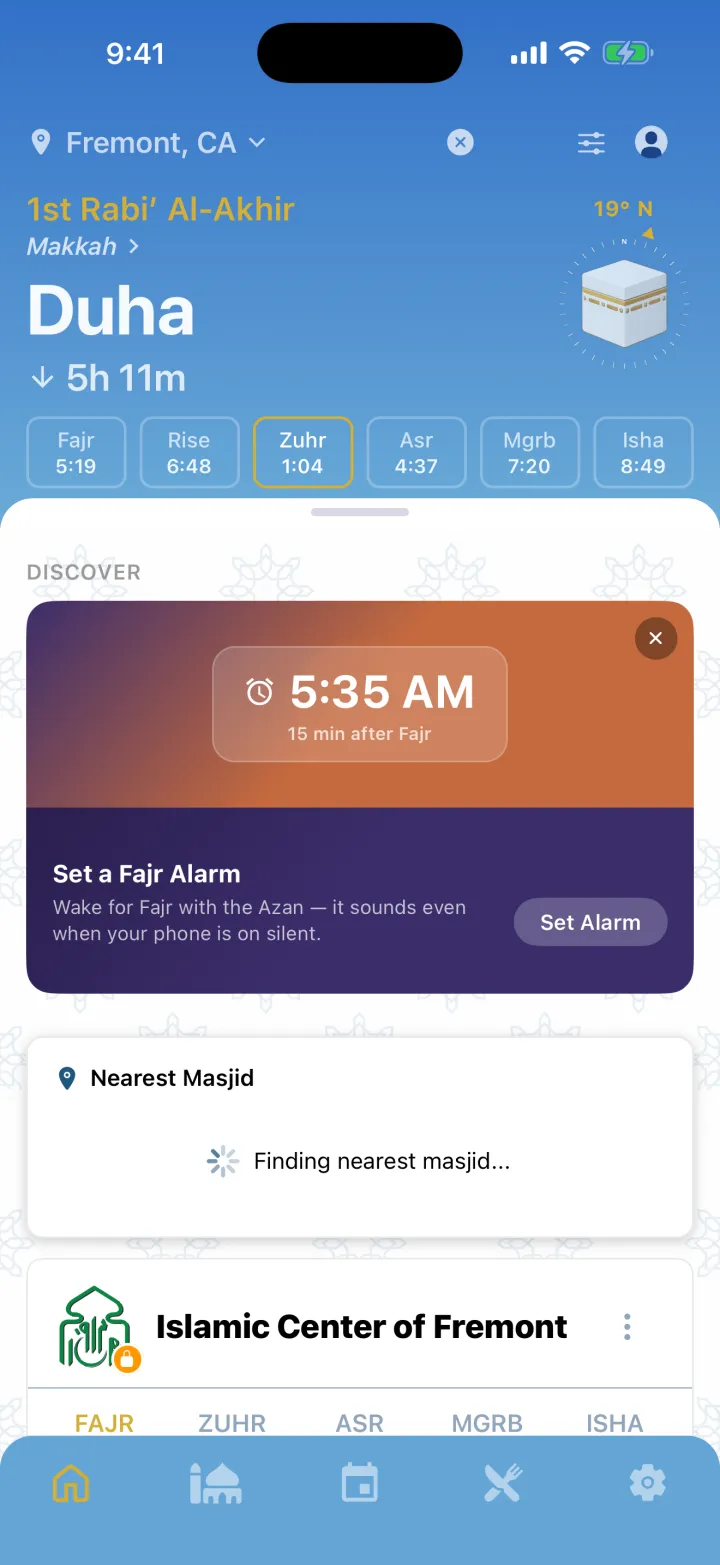
Masjidi Home
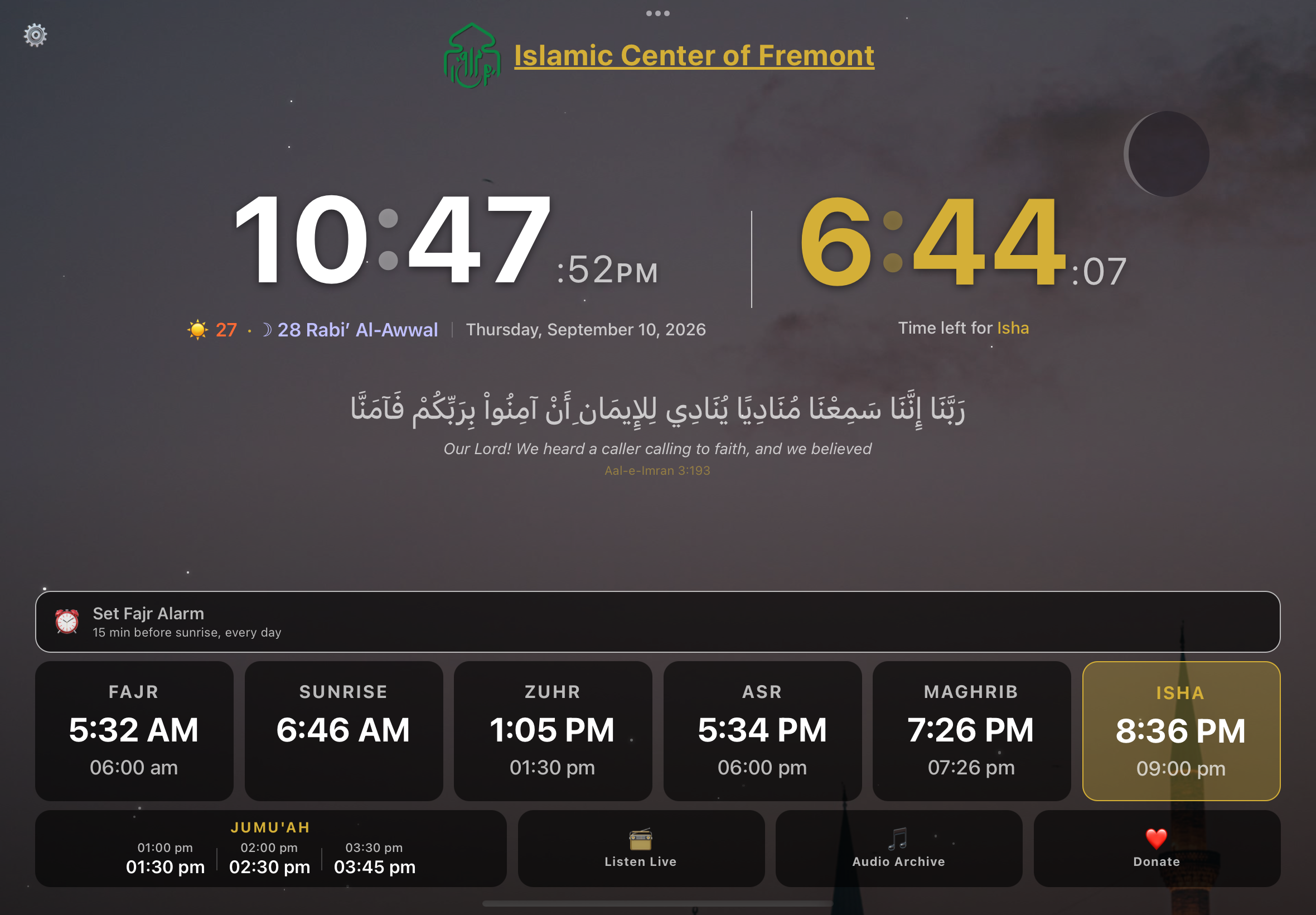
Turn an old tablet into a prayer display.
Mount a spare tablet in the kitchen and it shows today’s salah and iqamah times all day, plays the adhan at each prayer, and wakes you for Fajr.
Know when your masjid prays.
The iqamah times your masjid actually publishes, not a calculation from your coordinates, with alerts that move as its times do. Free, no ads, no paid tier.
iPhone, Apple Watch, and Android
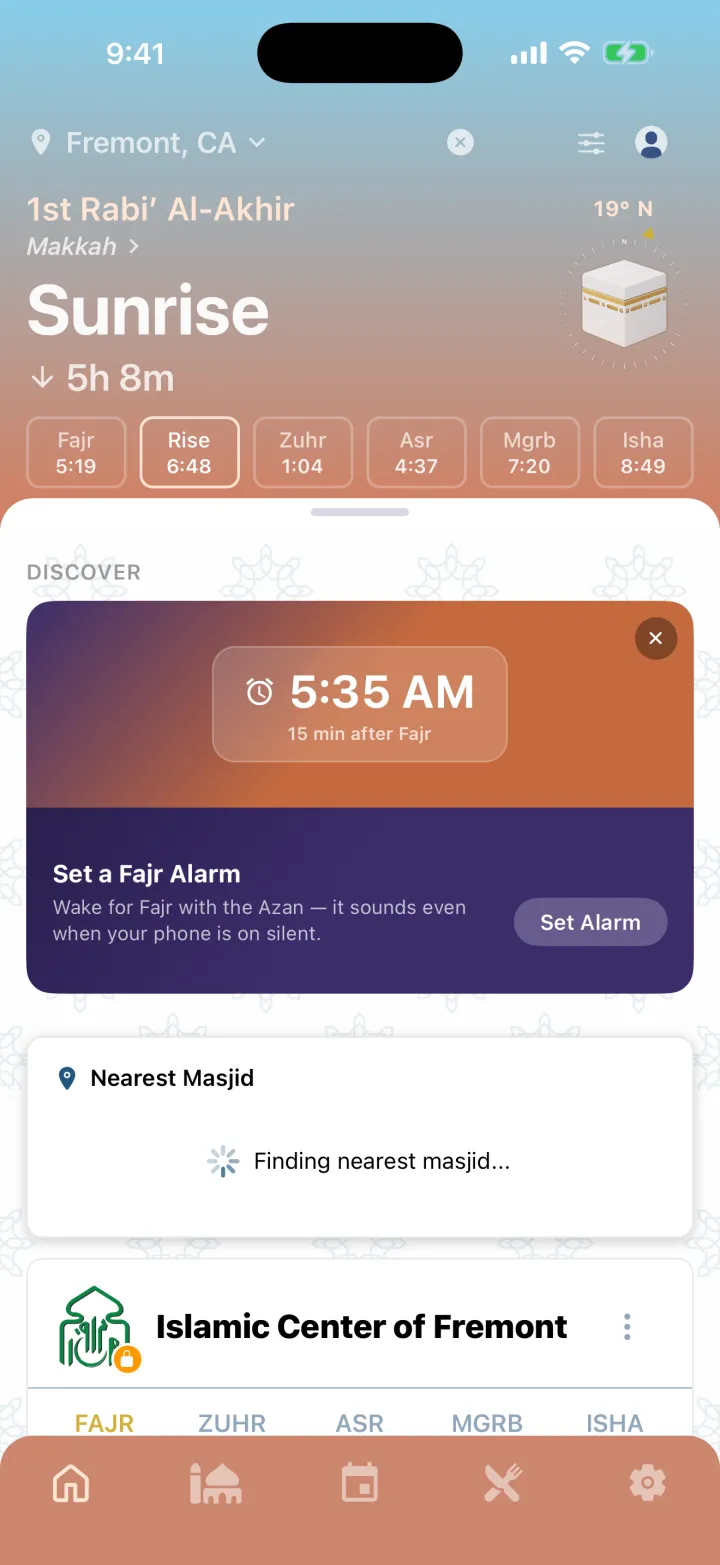
SunriseThe sun is rising, and prayer is not offered now. Prayer is not offered in this window, and Masjidi tracks that too.
Masjidi follows the sky all day. This page is doing the same.
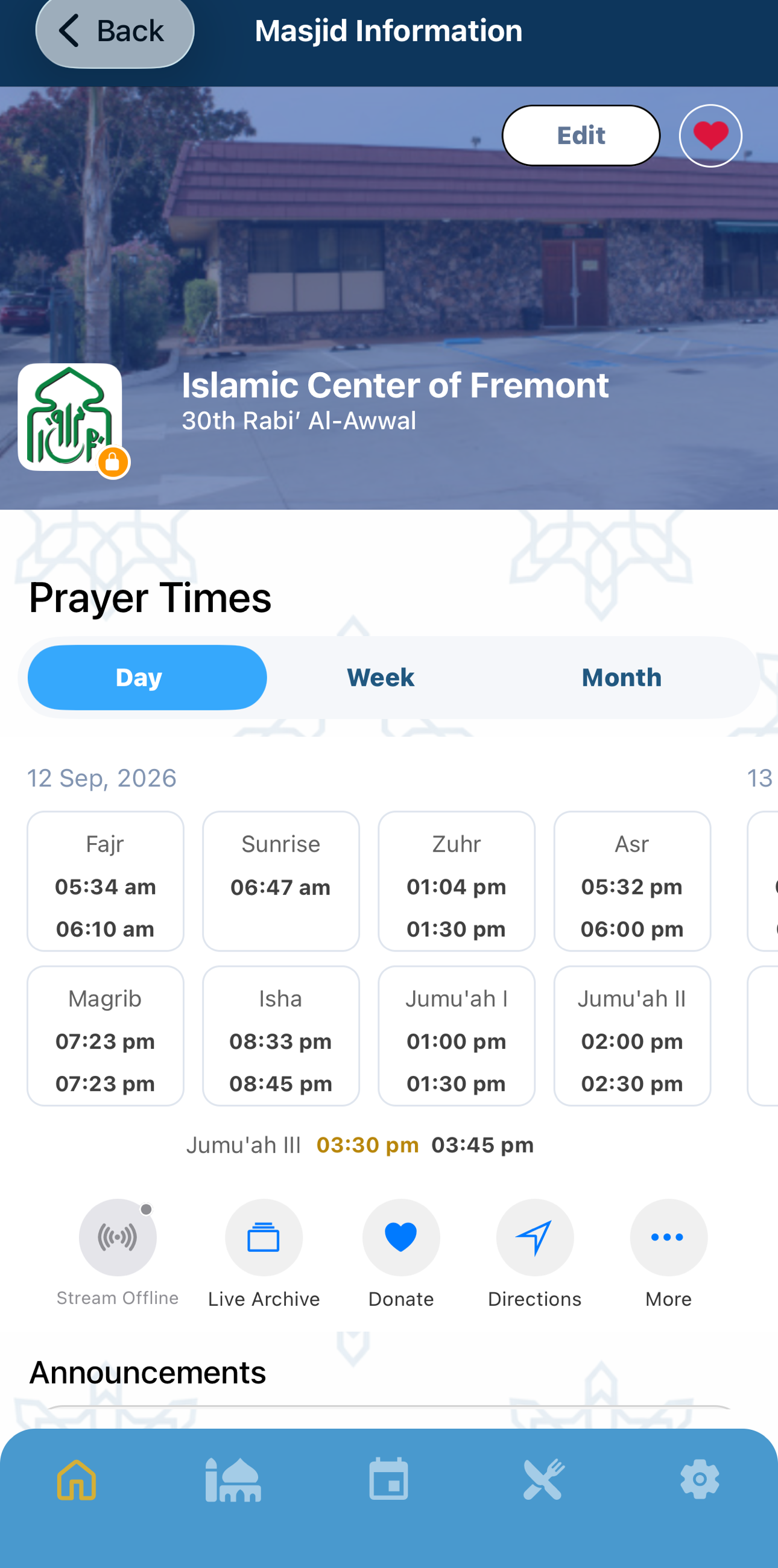
Swipe, or use the arrows. Every one is a screenshot of the running app, not a mockup, not a render.
Save the masjids you pray at and see their real iqamah times side by side, not an estimate from your coordinates. Each one has its page, today’s times, and the month’s calendar.
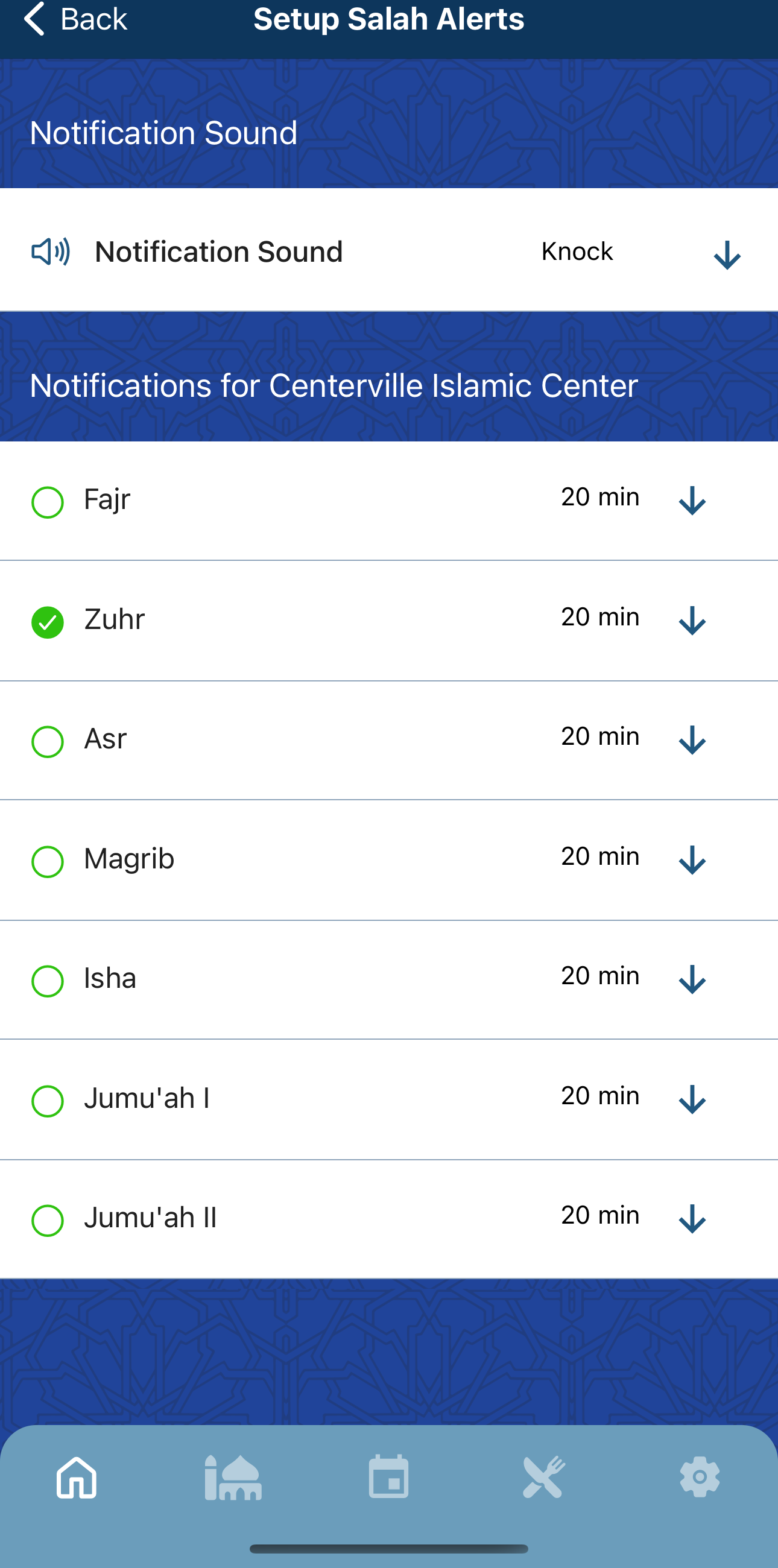
Choose which prayers alert you, for which masjid, and how many minutes ahead. Set a Fajr alarm anchored to your masjid’s Fajr rather than a fixed clock time, so it moves with the season, and when a masjid changes its iqamah, the app tells you before you turn up at the old time.
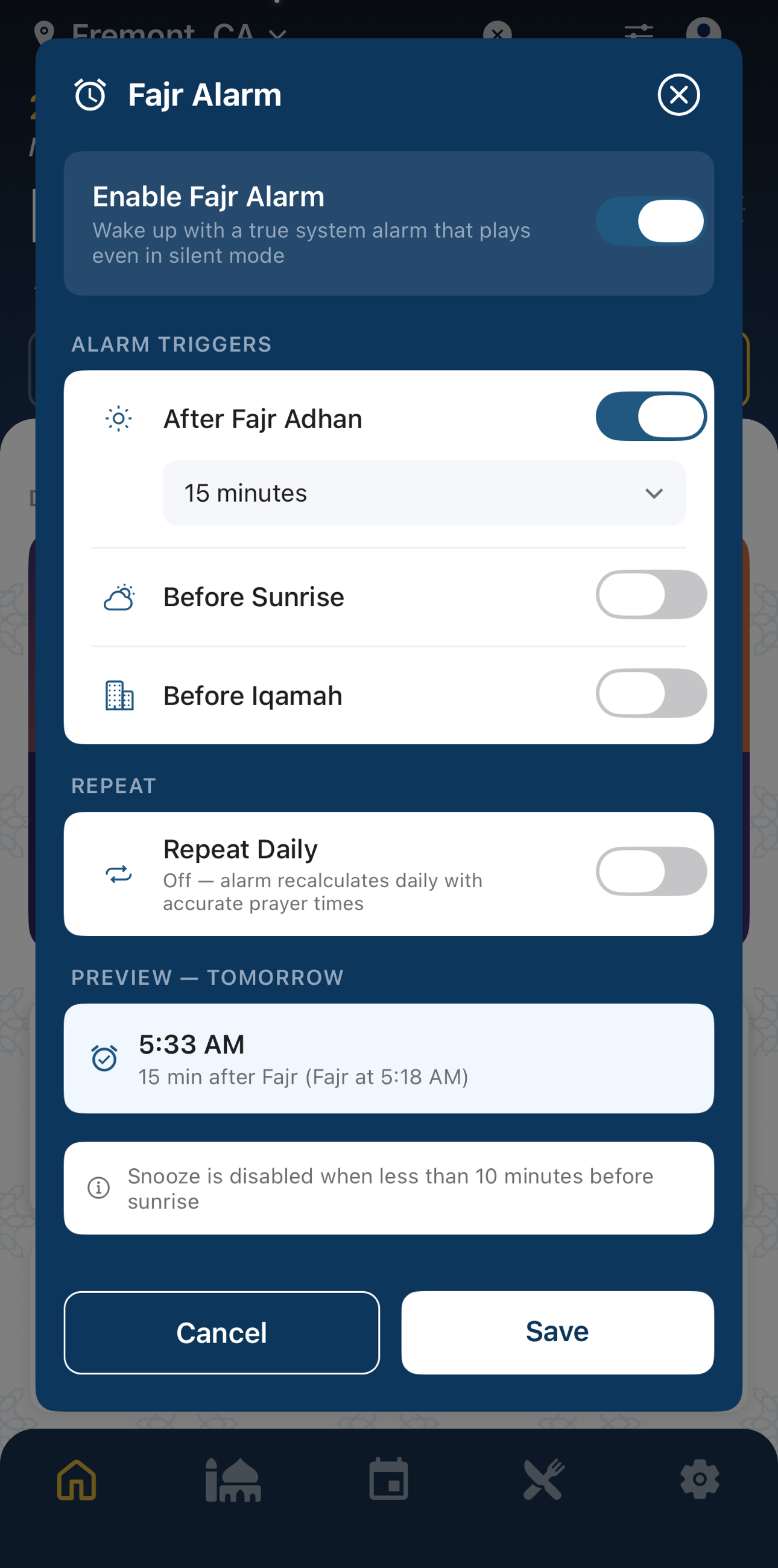
Every other alarm on your phone is a fixed time. Set it for 5:30 and it sits at 5:30 while Fajr drifts more than an hour across the year, until you are up far too early, or missing it. Masjidi’s is set against the prayer instead: a number of minutes after the Fajr adhan, before your masjid’s iqamah, or before sunrise. It tells you exactly when it will ring tomorrow, it is a real system alarm so it sounds even on silent, and it refuses to snooze you past sunrise.
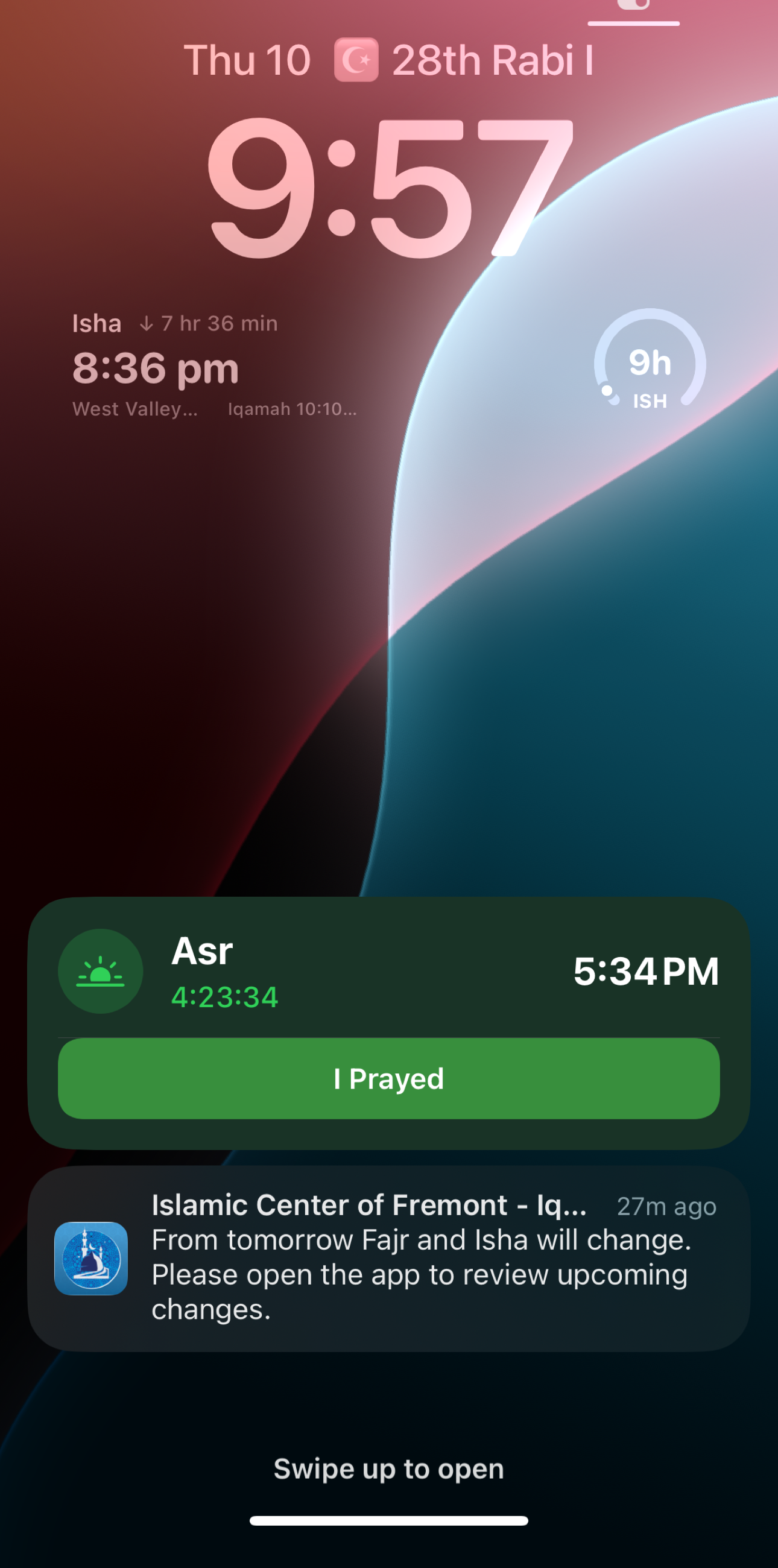
Before you unlock anything: the Hijri date sitting beside the day, the next prayer with your masjid’s iqamah underneath it, and a progress ring for how much of the window is left. As the time approaches a Live Activity counts down, with an “I Prayed” button so you can clear it without opening anything. And when your masjid moves a time, the notice arrives the night before, not when you turn up to an empty hall.
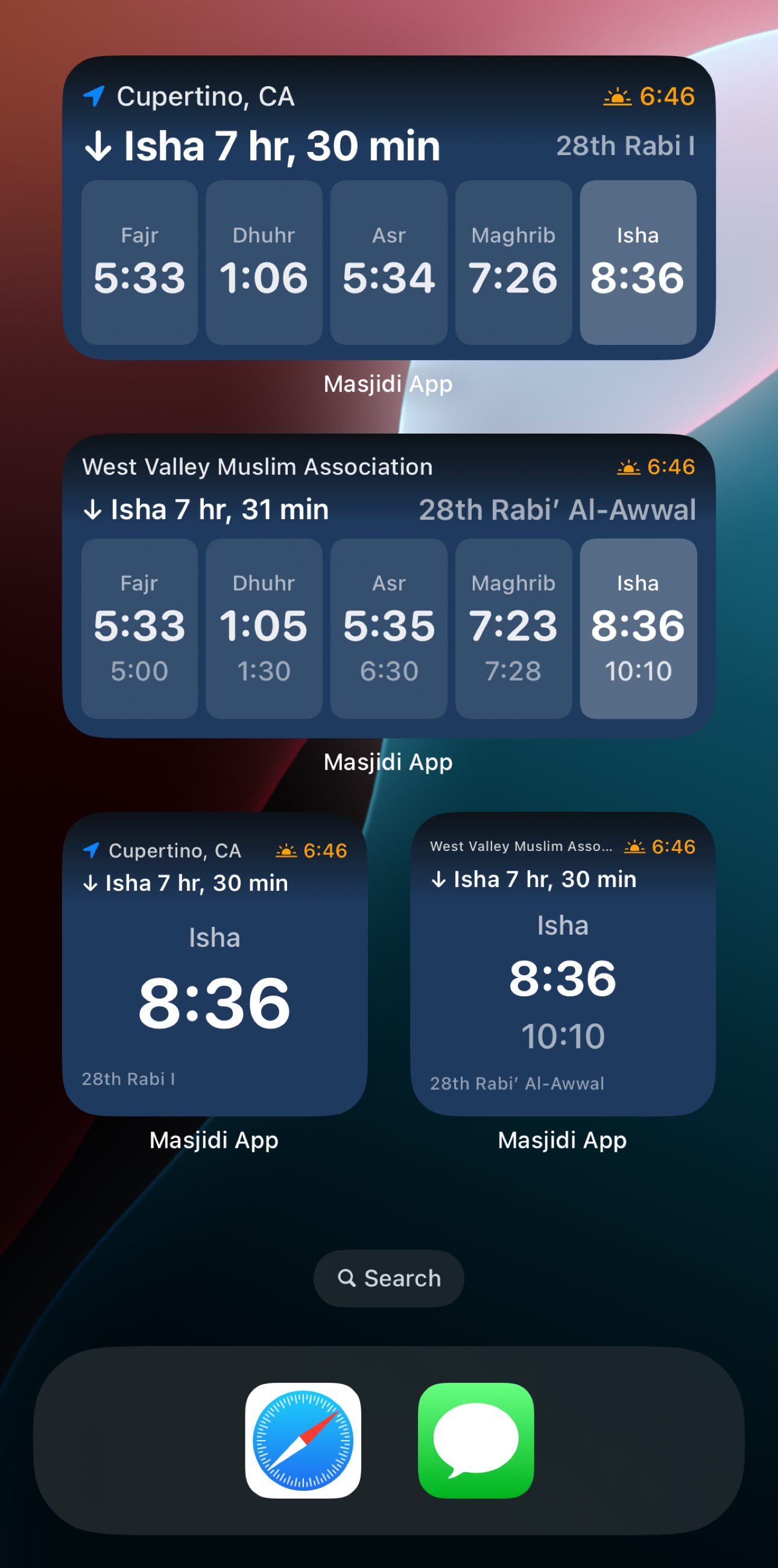
Prayer Times, your masjid’s Iqamah Times, a Prayer Countdown, a Prayer Progress gauge and the Hijri date, in every size, on the home screen and as Apple Watch complications. Put the masjid you follow on one and your own location on another, and check the day without opening the app at all.
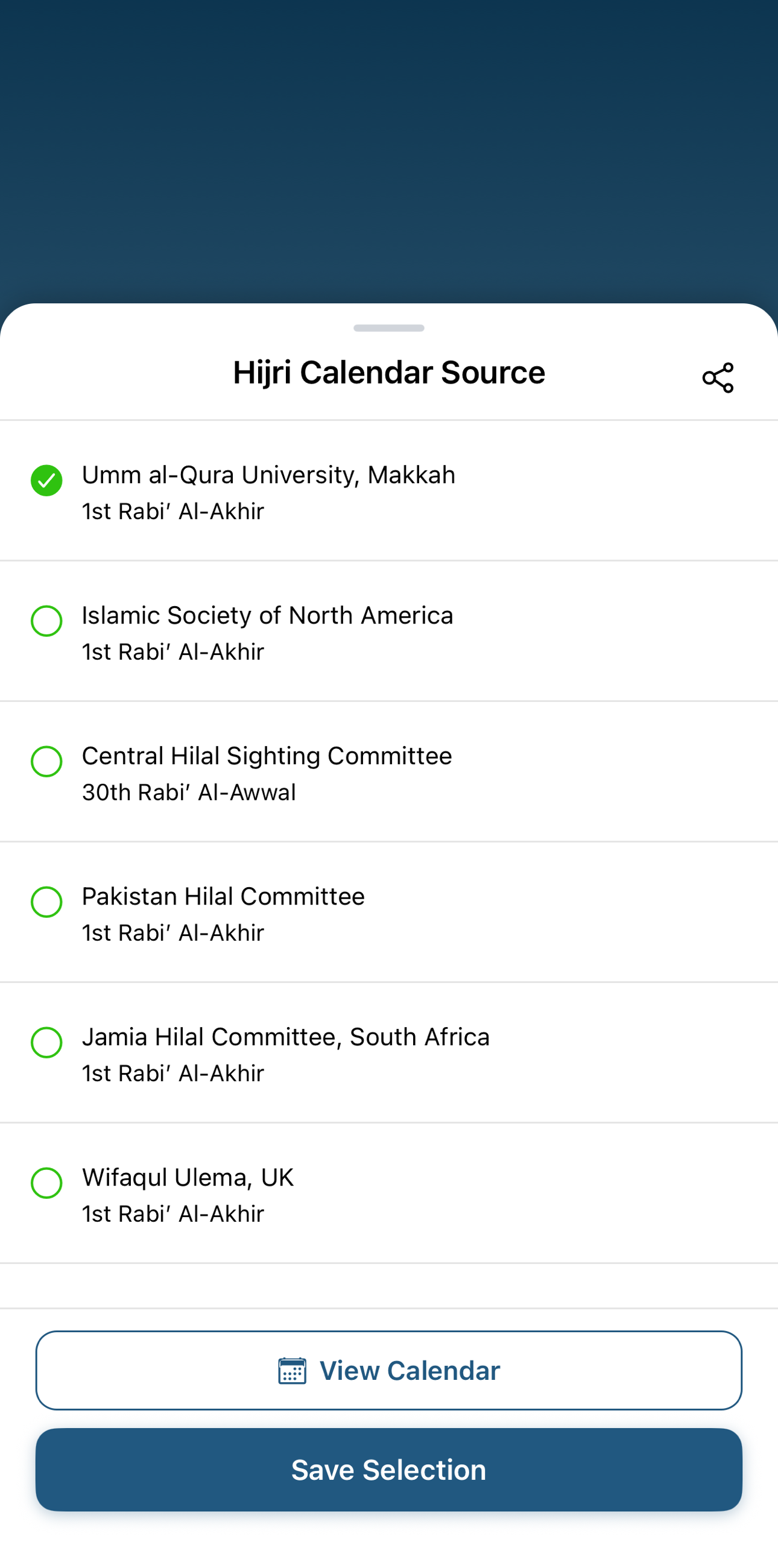
Most apps pick one calculation and impose it on everyone. Masjidi asks whose calendar you keep: Makkah, the Islamic Society of North America, the Central Hilal Sighting Committee, the Pakistan Hilal Committee, South Africa’s Jamia Hilal Committee or Wifaqul Ulama UK, with an offline calculation and a manual offset when your community follows its own sighting. It sits on your lock screen too.
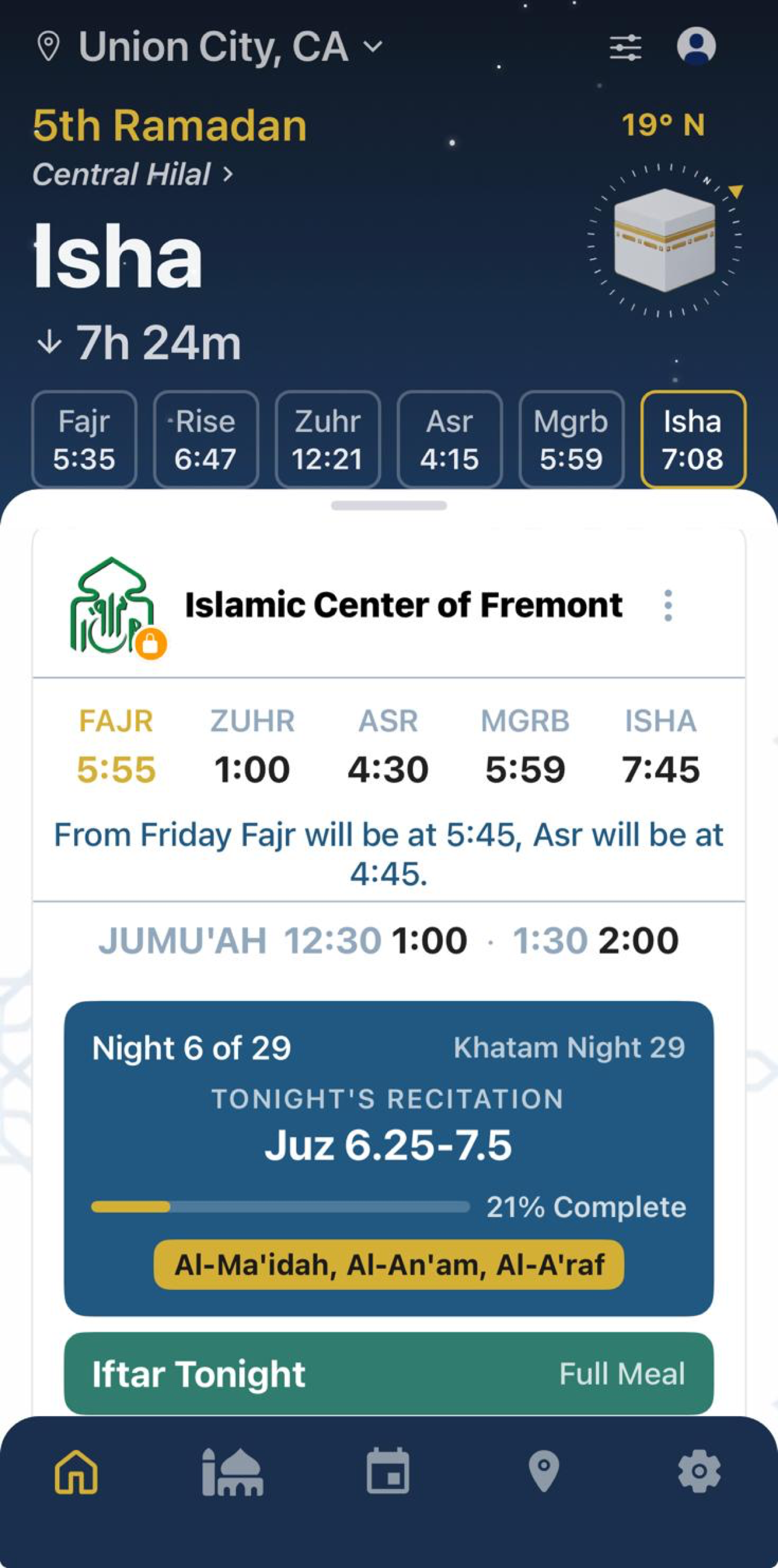
Events from the masjids you follow, typed properly rather than dumped in a list: taraweeh, iftars, suhoor, eid salah, lectures and fundraisers, on a map or a calendar. Taraweeh carries its khatam schedule: which night, which juz, which surahs, and how far through the Qur’an the masjid has got, so you can find the night you want to pray behind.
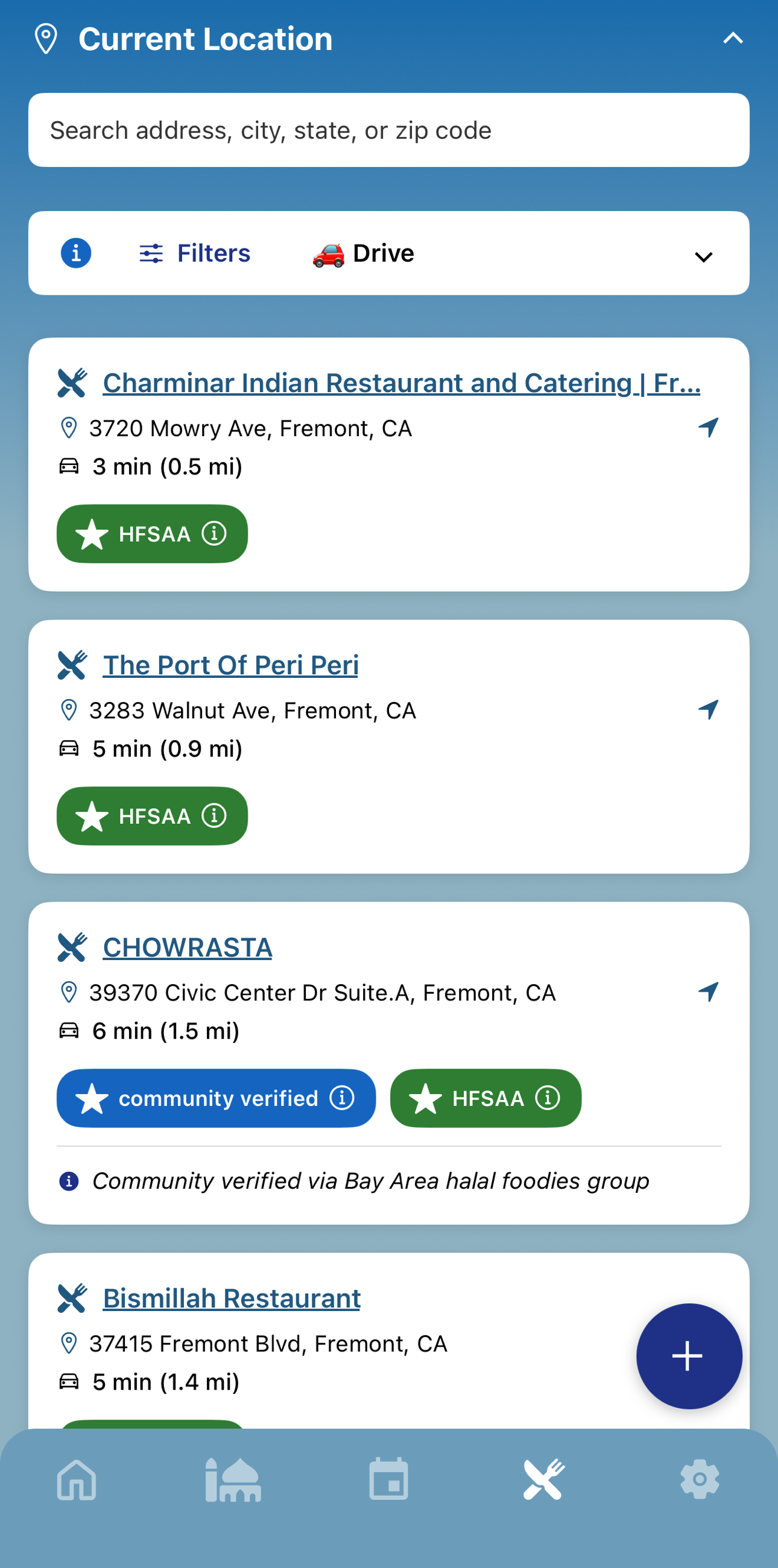
Not just a pin that says halal. You get the establishment’s certification, who issued it, and where its suppliers get their meat. Anyone can add a place and attach its certificates, so the directory is kept honest by the people who eat there.
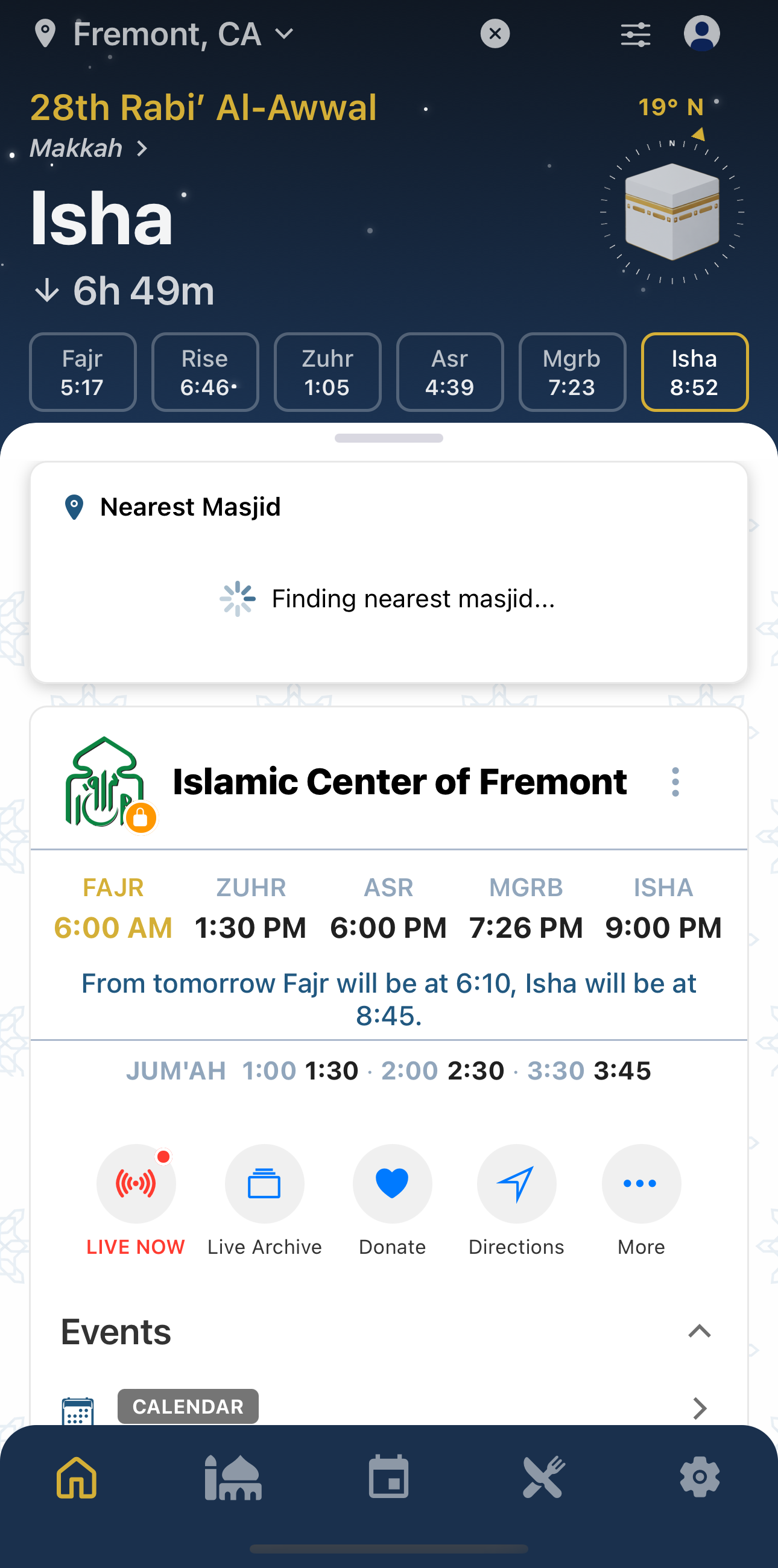
When a masjid goes on air, its card turns red and says LIVE NOW for khutbah, bayaan or taraweeh, and one tap puts it in your ear. Off air it says so plainly instead of leaving you to guess, and past talks stay in the archive.
A compass for qibla, and a Ramadan view with taraweeh and iftar timings.
Set iqamah rules, upload a calendar, post announcements and manage your display, all from the same app, free.
Ask before you install. A person answers, usually the same day.
Put it down and it keeps working
Stand your iPhone on its side while it charges and StandBy turns it into a prayer-times display: the countdown to the next prayer, every adhan and iqamah for the day, and the month beside it, all night without unlocking anything. And the alarm that wakes you from it is set against Fajr rather than against a clock, so it moves with the season instead of drifting away from it. An old phone on a nightstand becomes the thing that gets you up.
Add-ons
Two free companions for when a phone is not the right screen: a tablet at home, and the TV in the masjid. Both follow the same masjid you already follow in the app.
Tell us what screen you have and we will tell you exactly what to buy and what to do with it. No sales call, and it is free either way.
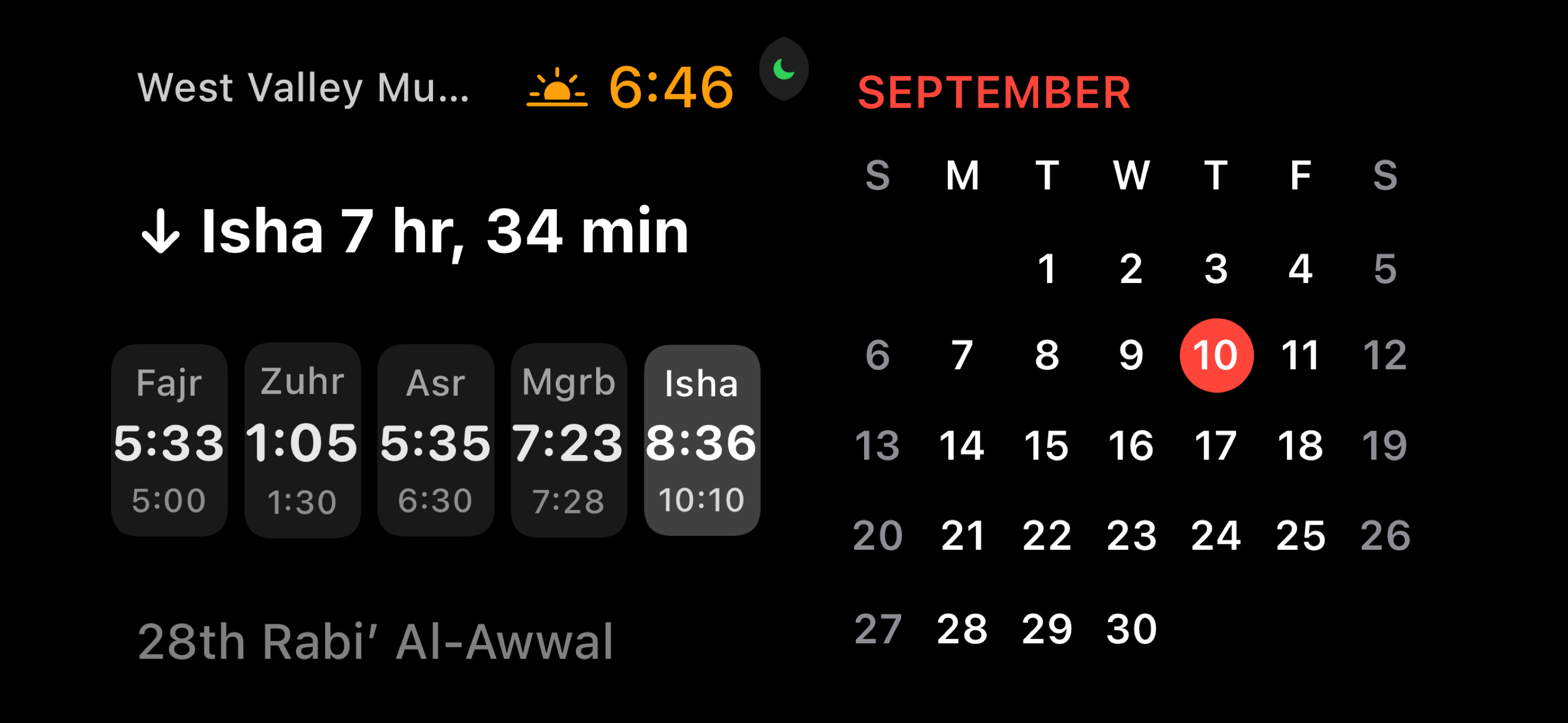
Masjidi Home
Mount a spare tablet in the kitchen and it shows today’s salah and iqamah times all day, plays the adhan at each prayer, and wakes you for Fajr.
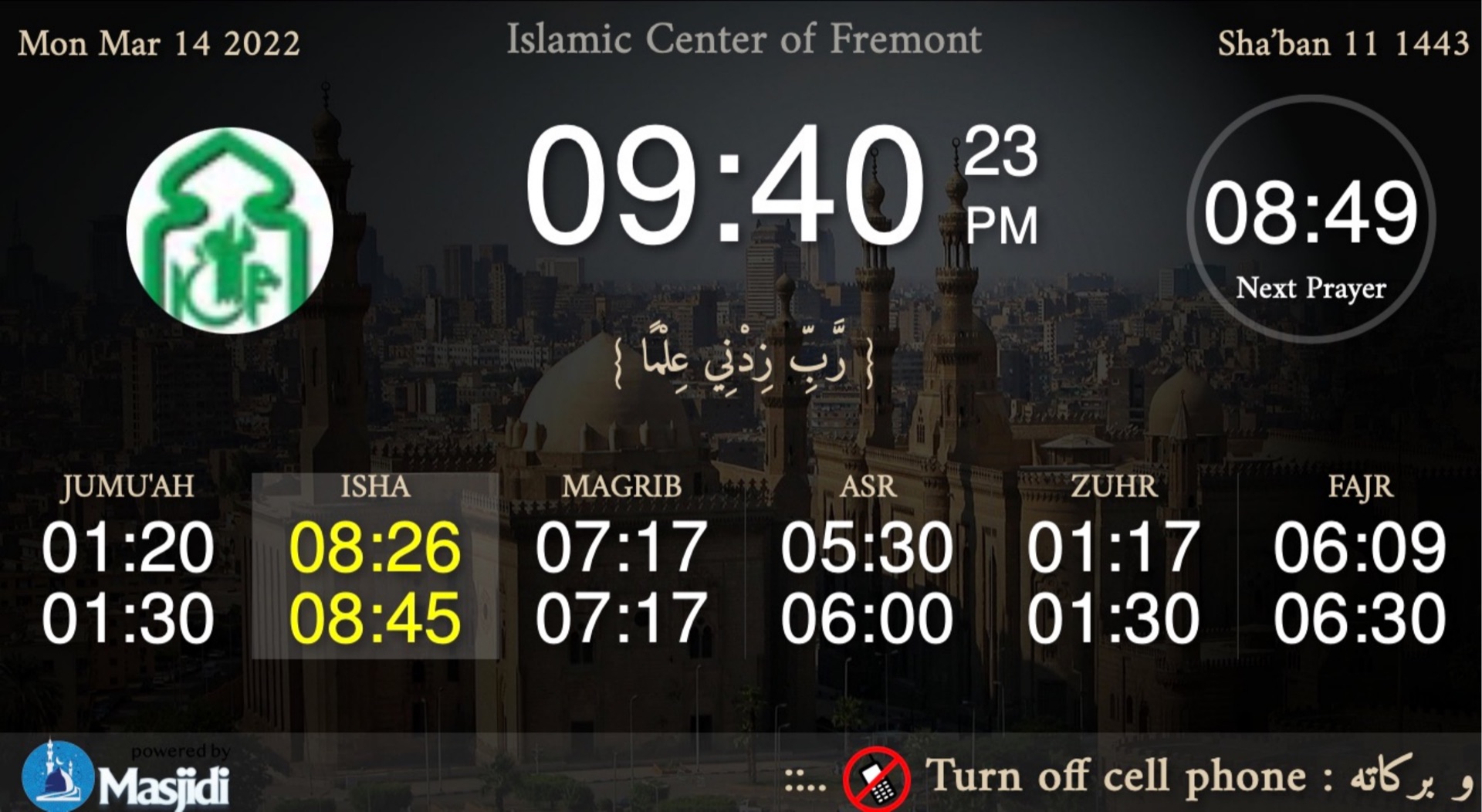
Masjidi Cast
The display runs in a browser, so almost anything can drive it: an Android TV box, or the old computer in the office. Set it once and it runs your masjid’s display for good, including after a power cut.
For masjid admins
Most masjids publish iqamah times by editing a spreadsheet, printing a sheet, and hoping the website catches up. Masjidi gives you four ways to do it instead, and the first one means you may never touch it again. All free, and all of it works from the app in your pocket.
Once a year, or less
Tell the engine the shape of your iqamah and it works out every day for you. “Fajr twenty minutes after adhan” follows the sun all year. “Zuhr always at 1:30” stays put. Asr can run one offset in summer and another in winter, so the clocks changing does not mean a committee meeting.
A few minutes
Already print a yearly timetable? Photograph it or upload the PDF and Masjidi reads the times out of it. You get a table to check and correct before anything goes live, and nothing is published until you confirm it.
When something changes
Type the times in for a date range: Ramadan, a khatam night, a week the hall is being repaired. Manual times beat every other source, prayer by prayer, so you can override Isha for a fortnight and leave the rest of the day running on its rule.
No effort, and it shows
If a masjid sets nothing, Masjidi reads what it can from the masjid’s own website and falls back to calculating from its location. It is better than a blank page and it is honestly labelled as an estimate, but it is guesswork, and your congregation can tell.
Post an announcement and it reaches phones, your lobby screen and your website widget at once. Set all three Jumu’ah khutbahs. Pair a TV. Hand another volunteer access without handing over your password. There is no paid tier holding any of it back.
Privacy
Most free prayer apps pay for themselves with ads and with what they learn about you. where you are, where you pray, and when. Masjidi does not, and the absence is checkable rather than a slogan.
There is no ad SDK in any Masjidi app: nothing to serve you an ad, and nothing sitting there collecting the data an ad network would want. This is not a plan to add them once we have your attention.
Your location, your masjid, and when you pray are not a product. No data broker, no ad network, no “partners”.
Open the app and the times are there. An account only exists for masjid admins who need to publish their own times.
The sky at the top was worked out on your device from your timezone. No location prompt, no request to a server, nothing stored. Look at the network tab.
What we do collect: the apps use Firebase for basic analytics and crash reports: which app versions are in the field, where setup goes wrong, what crashed. It tells us how to fix the app. It is never used to target you and it is never sold. We would rather say that plainly than claim a purity we do not have.
For developers
The same API the apps run on: 48 endpoints covering masjids, prayer and iqamah times, calendars, events and halal data. Documented in full, with worked examples. Keys are issued free on request while self-service signup is built.
Read the API documentation